Manic: The Banking Screen Can Be Real and Your PIN Can Still Be Stolen
Security researchers at ThreatFabric have documented a new Android malware family called Manic.
It combines banking fraud, spyware and remote device control, but one capability deserves particular attention.
Manic does not always need to show you a fake banking screen.
It can steal PIN input while you are interacting with the real banking application.
The real screen problem
Manic contains a technique ThreatFabric calls pinPadOverlay.
When the malware detects a numeric keypad inside a targeted application, it can place a transparent overlay across the keypad.
When the victim taps a number, Manic records the position, temporarily stops intercepting the interaction, then reproduces the tap against the legitimate application using Android Accessibility.
The bank receives the input.
The banking application continues working normally.
The victim may never see a fake banking interface.
That changes an important security assumption.
Seeing the genuine application does not necessarily mean the interaction itself is trustworthy.
More than a banking trojan
ThreatFabric identified 169 monitored package IDs across banking, cryptocurrency, government and identity services, authenticators, messaging applications and other sensitive services.
Ukraine appears to be the primary target, with additional targeting across several European countries.
Manic can also collect sensitive device information and provide substantial remote control after obtaining powerful Android permissions.
A captured device PIN or pattern can potentially be reused against the Android lock screen.
That creates another important distinction.
An attacker may not need to authenticate from an unfamiliar computer.
They may be operating the victim's real, already enrolled device.

Offline does not necessarily mean isolated
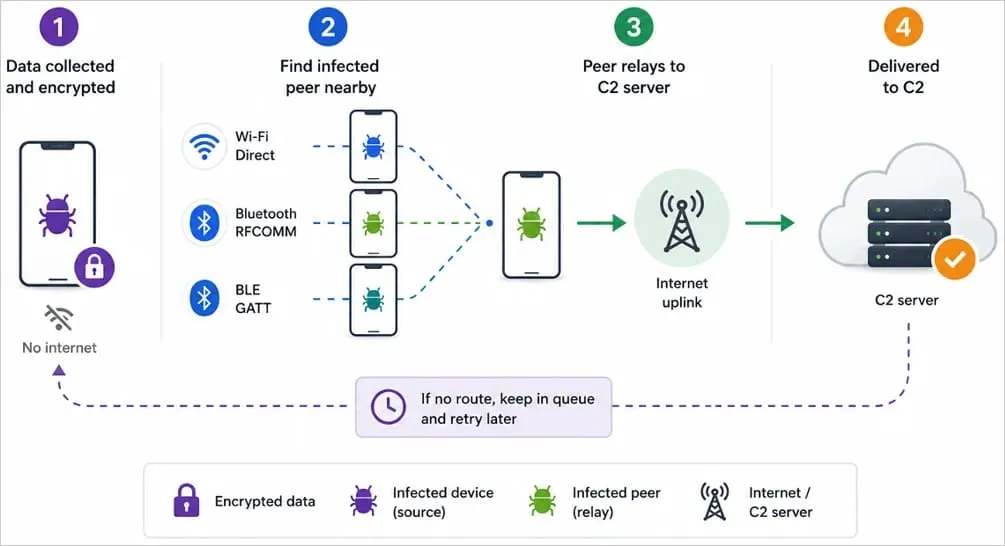
Manic also contains an unusual relay capability.
If an infected phone cannot communicate directly with its command-and-control infrastructure, collected information can be relayed through nearby devices that are already infected.
This does not mean Manic automatically infects clean phones over Bluetooth or Wi-Fi.
The documented mechanism involves communication between already compromised devices.
What should Android users check?
An unfamiliar application with Accessibility access deserves investigation.
The combination matters even more.
Accessibility alone: Can be legitimate.
Accessibility + sideloaded installation: Suspicious.
Accessibility + notification access + overlays: High-risk combination requiring investigation.
This is a practical triage heuristic, not ThreatFabric's formal classification system.
Package names and hashes remain useful indicators, but malware developers can change them.
Permissions and behaviour provide another layer of detection.
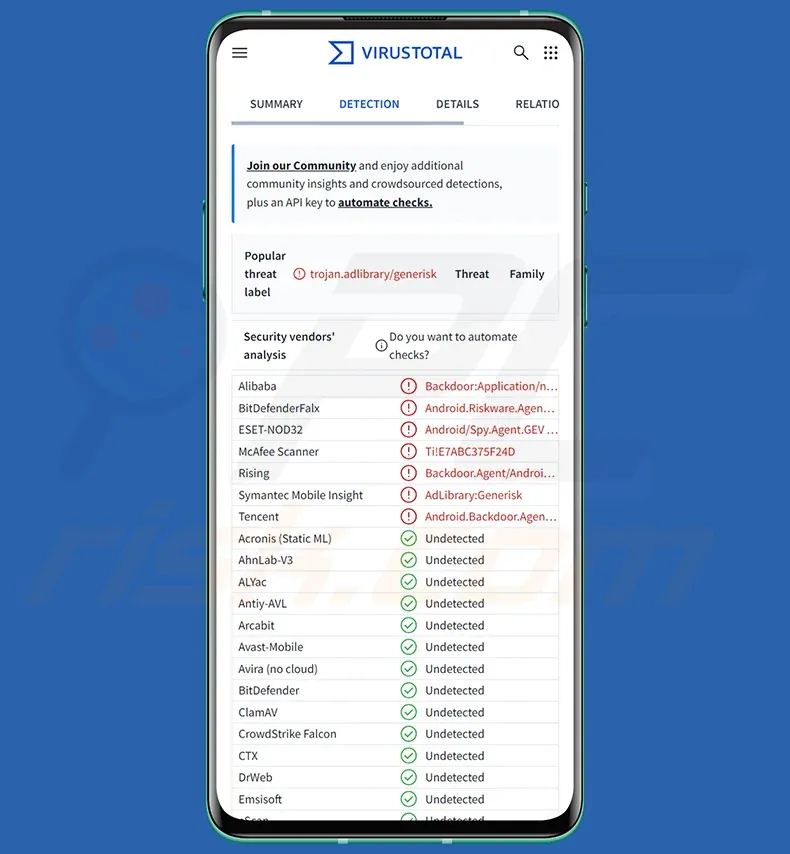
ThreatFabric has published several package identifiers associated with analysed Manic samples:
tech.intel.dialer.updater
org.lenovo.storage.processor
tech.apple.dialer.scheduler
io.motorola.secure.executor
org.honor.secure.helper
dev.huawei.media.helper
Finding one deserves immediate investigation.
Not finding one does not prove that a device is clean.
What to do if you suspect Manic
Stop entering banking credentials or passwords on the suspected device.
Disconnect mobile data, Wi-Fi and Bluetooth while assessing it.
If financial credentials may have been exposed, contact your bank using a separate trusted device.
Review Accessibility, notification access, overlay permissions and recently sideloaded applications.
If Manic infection is confirmed, do not assume that simply uninstalling the visible malicious application restores trust.
Preserve any evidence you require and consider factory-resetting or securely re-provisioning the device.
Change affected banking credentials, passwords and the device unlock secret from a separate trusted device.
The larger lesson
For years, one of the basic pieces of anti-phishing advice has been to make sure you are interacting with the genuine application.
Manic demonstrates the limitation of that model.
The application can be genuine.
The keypad can be genuine.
The transaction can reach the genuine bank.
Another privileged application can still observe and manipulate the interaction between the user and that authentic interface.
The security question therefore becomes larger than:
Is this application genuine?
We also need to ask:
Which other applications are permitted to observe it?
Authentic UI does not necessarily mean trustworthy interaction.
Sources
ThreatFabric, Manic: Blend between Banking Malware & Spyware, August 2026:
https://www.threatfabric.com/blogs/manic-blend-between-banking-malware-and-spyware
Google Android Help, Learn about restricted settings:
https://support.google.com/android/answer/12623953
Google Play Help, Use Google Play Protect to help keep your apps safe and your data private:
https://support.google.com/googleplay/answer/2812853
--
Clayton Bax
Published under ONYX Digital Intelligence Following the #OnyxAudit methodology.
- X: @onyxaudit
- Email: onyxdigitalintelligence85@protonmail.com
- https://github.com/Baximus855
- @Onyx_Digital@mastodon.social
"Adjacent to true is not true."
Truth has no flag nor favour, only a standard. And it's heavy